

Overview
Currently, you cannot split the database files (MDF and LDF) location while creating a new DB via the SSA.
This article explains how to split the database files location.
Instructions
- Create a new DB via the SSA, for the example let's call it "DB1"
- Backup "DB1" (via Admin or SQL Server Management Studio), for the example we will call the Backup DB as "DB2"
- Delete "DB1"
- Via the SQL Server Management Studio: Restore "DB2", during the restore process, go to "files" tab and change the locations of the LDF and MDF in the "Restore As" section
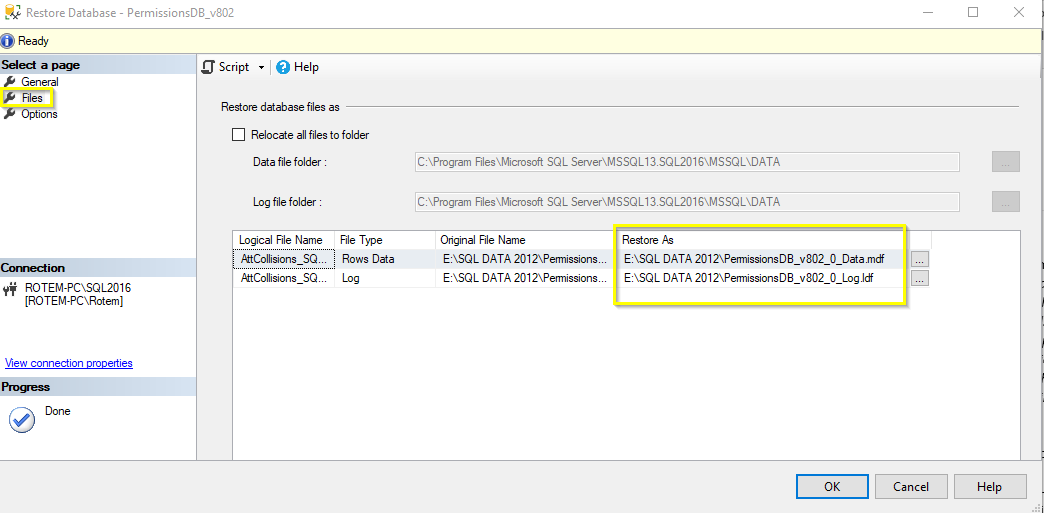 and Press OK.
This will restore the DB in the desired different locations.
Comments
0 comments
Please sign in to leave a comment.