

Overview
This article explains how to Compress tables in the DB and Shrink the DB in order to reduce the DB size.
In order to remove the 'Data Compression' from a specific table, go to How to remove Data Compression.
Requirement: SQL Server EditionThe Data Compression Wizard is available only in the following SQL editions:
|
In order to reach the minimum database size perform the following actions (in this order):
- Compressing tables using the SQL Data Compression Wizard
- Shrink database files using the SQL Shrink task
- Rebuild Indexes
- Restart SQL and Onebeat Server (recommended)
Important TIP:Backup the Database BEFORE executing the following actions. |
Compressing tables
The Compression Data process should be performed on the largest tables that needs to be reduced.
The largest tables in Onebeat are:
- Symphony_StockLocationSkuHistory
- Symphony_StockLocationSkus
To compress a table:
* In SQL Server Management Studio > database name > table name > right click > Storage > Manage Compression
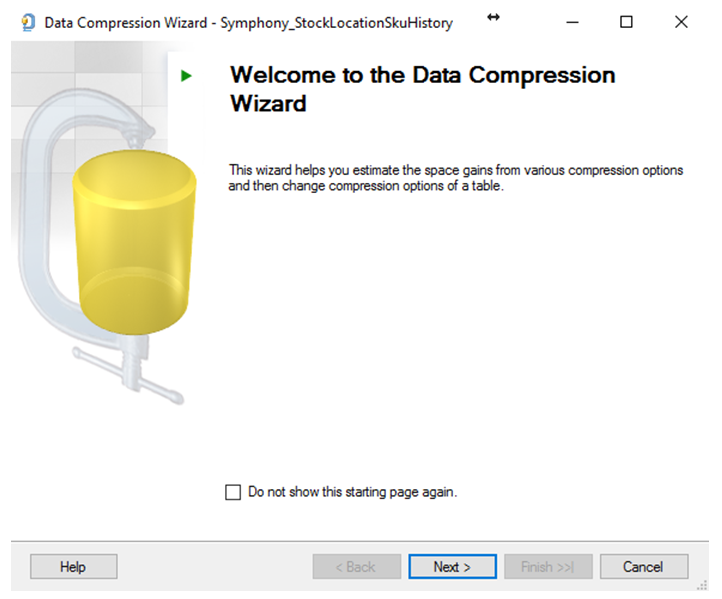
* press next >
* Mark the 'Use same compression type for all Partitions' and Choose 'Page'.
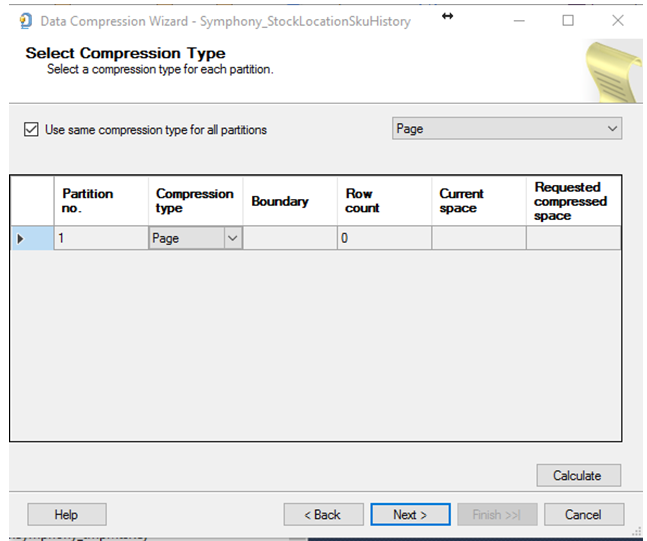
* Press the 'Calculate' button (in order to see the calculated results), then press Next >
* In the below screen you can choose:
‘Create script’ – in order to run this process in the future
OR
‘Run immediately’ – in order to run this process immediately
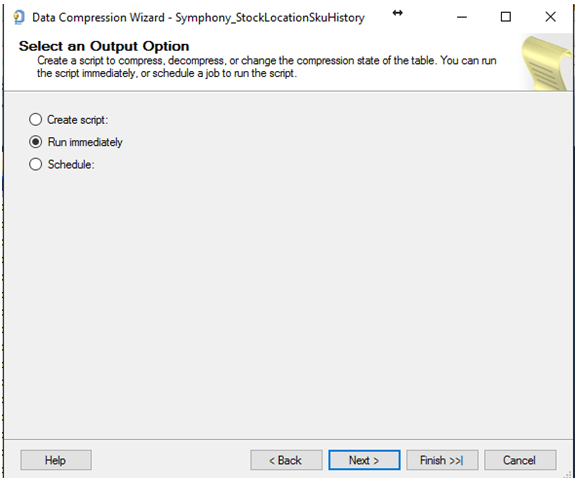
* Press Next >
* Press Finish.
Return to the start of this step and perform the same action on the second table.
Shrink Database
The compression process does NOT reduce the Database size. The size of the database is reduced by shrinking individual files to release unallocated space.
To Shrink a Database:
* In SQL Server Management Studio > database name > right-click > Tasks > Shrink> Files. Pay attention you need shrink the Log + Data, so you'll do it twice.
a) In the file Type Choose Log > and press OK, this will release unused space (this process will take a few seconds).
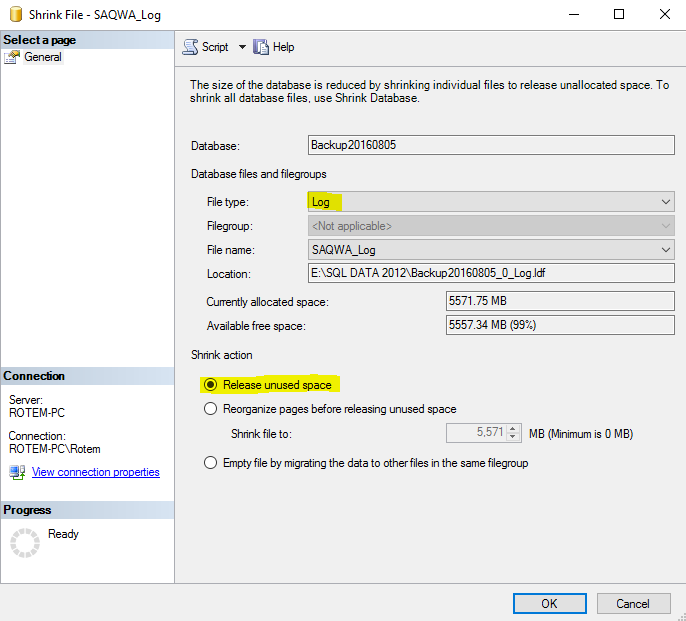
b) In the file Type Choose Data> and press OK, this will release unused space (this process will take a few seconds).
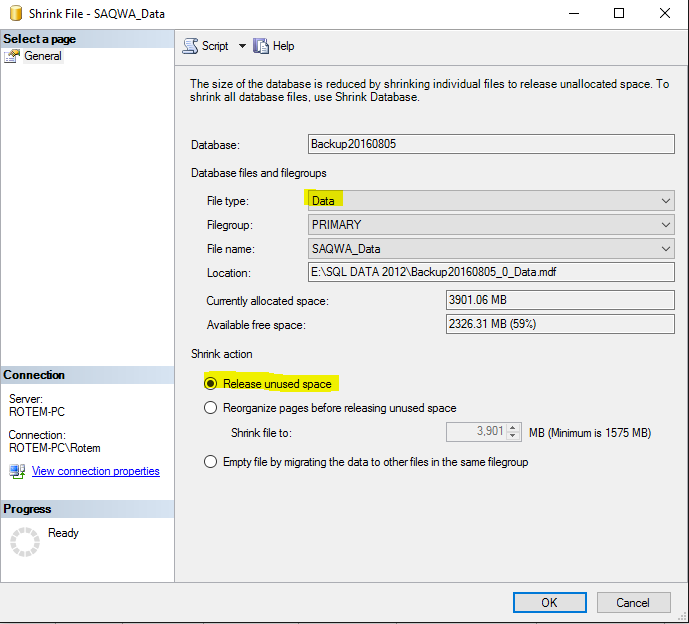
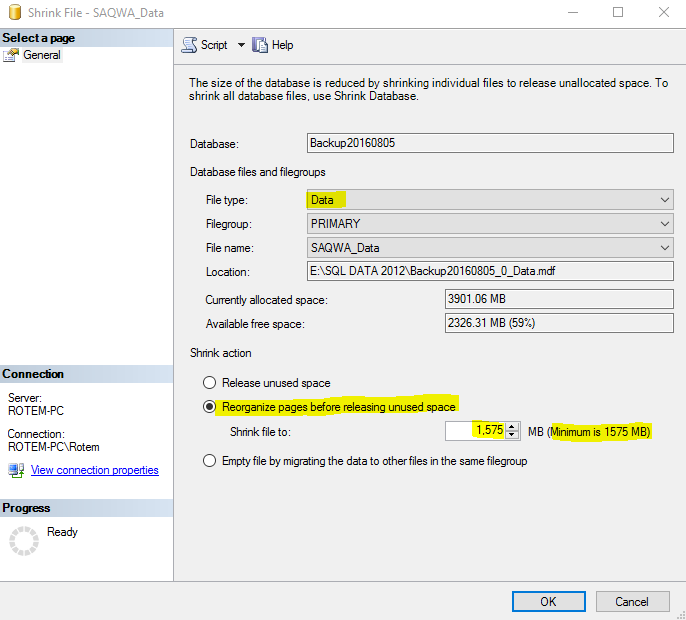
c) In case points a and b didn't free any significant space in the DB, you can shrink the Data file using the ‘Reorganize pages before releasing unused space’ action.

Instructions:
* In the 'File Type' choose Data
* In the 'Shrink Action' section choose ‘Reorganize pages before releasing unused space’.
* In the 'Shrink file to:' enter the minimum database size in MB according to the SQL calculation which is presented in the ().
* Press OK.
Rebuild Indexes
Due to the above actions (Compress and Shrink) the information in the index can become scattered in the database (fragmented), therefore it is recommended to Rebuild Indexes via Admin / Auto Load.
Restart SQL and Onebeat Server
At the end of this process, it is recommended to restart the Onebeat Server and SQL Server.
Comments
0 comments
Please sign in to leave a comment.