

Overview
In case of using different Region settings than the Region settings of the Local System, it's required to define it in Onebeat service.
In other words, in case of changing the Regional settings, it's required to define in Onebeat Server which Windows Account to use.
For example, the Region setting of the local system is English (United States), however, you are changing it to Portuguese (Brazil), in this case, you will need to define it in Onebeat Service.
This article explains how to set the Onebeat service to use a different account than the Local System Account.
Instructions
1. Open windows services, run > services.msc > enter
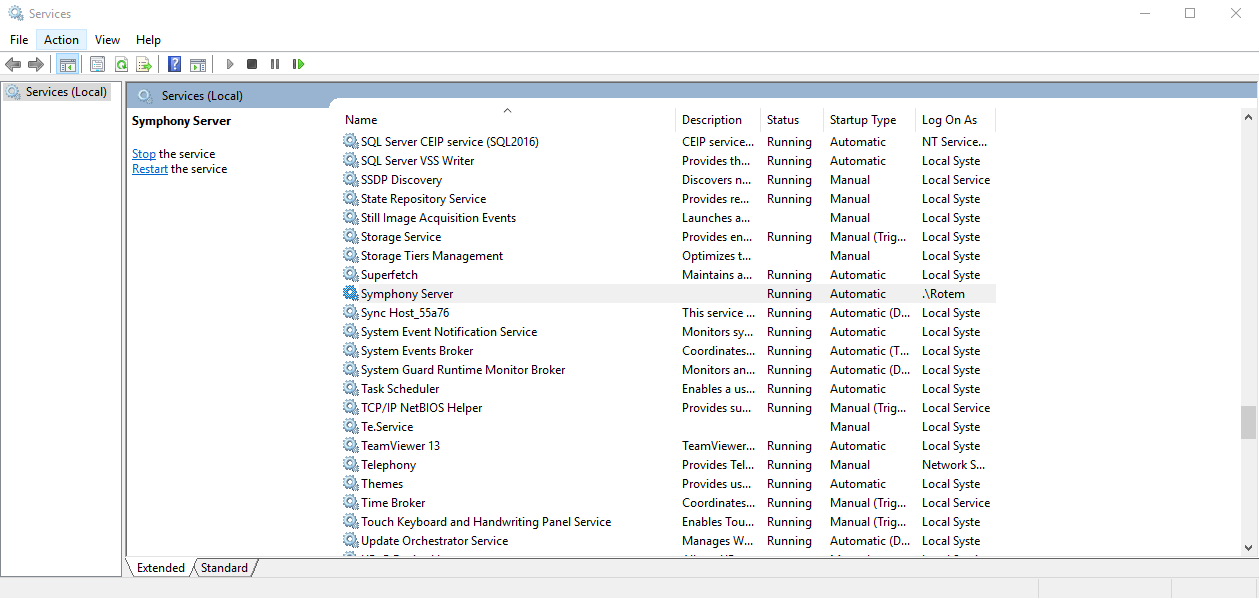
2. Double click on “Onebeat Server” service
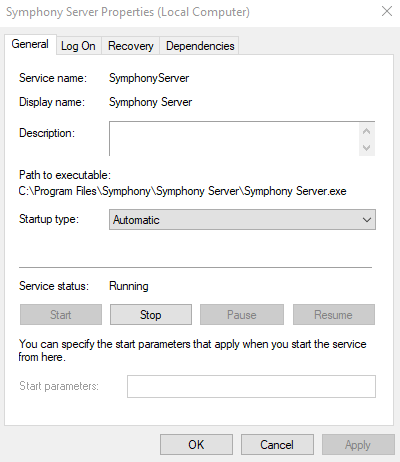
3. Go to “Log On” tab > Change the “Log on as” checkbox from “Local System Account” to “This Account”:
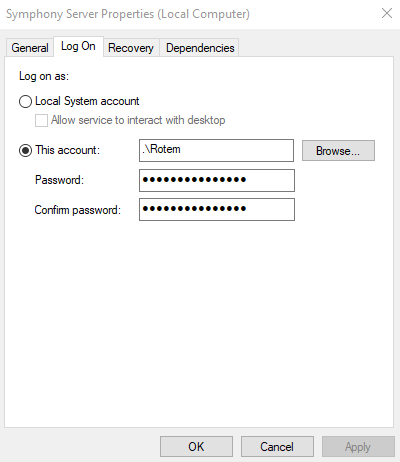
In the “This Account”: enter the Windows User Account Name (enter the Windows User Name which you have logged to the Server).
In the “password”: enter the Windows User Account Password
4. Press the Apply button > OK
5. Restart Onebeat Server service.
Comments
0 comments
Please sign in to leave a comment.