

Welcome to the new Onebeat Knowledge site!
This new site will replace the old A&B site, and includes more recent, updated Knowledge and info on all Onebeat functions and features.
Before we dive into the action we'll go over a quick rundown on site navigation, features and functions.
Site Navigation
There are 3 main Pages: Knowledge Base, Troubleshooting and the Community. Before we'll address each one of those, let's go over a quick presentation on the site navigation and its logical structure.
Most of the site is built under a very simple and responsive logic. There are Categories, Sections, and Articles. Each article is nested is a section, and each section is nested in a category. That's it, it is as simple as it sounds.
Just like the small example the following picture.
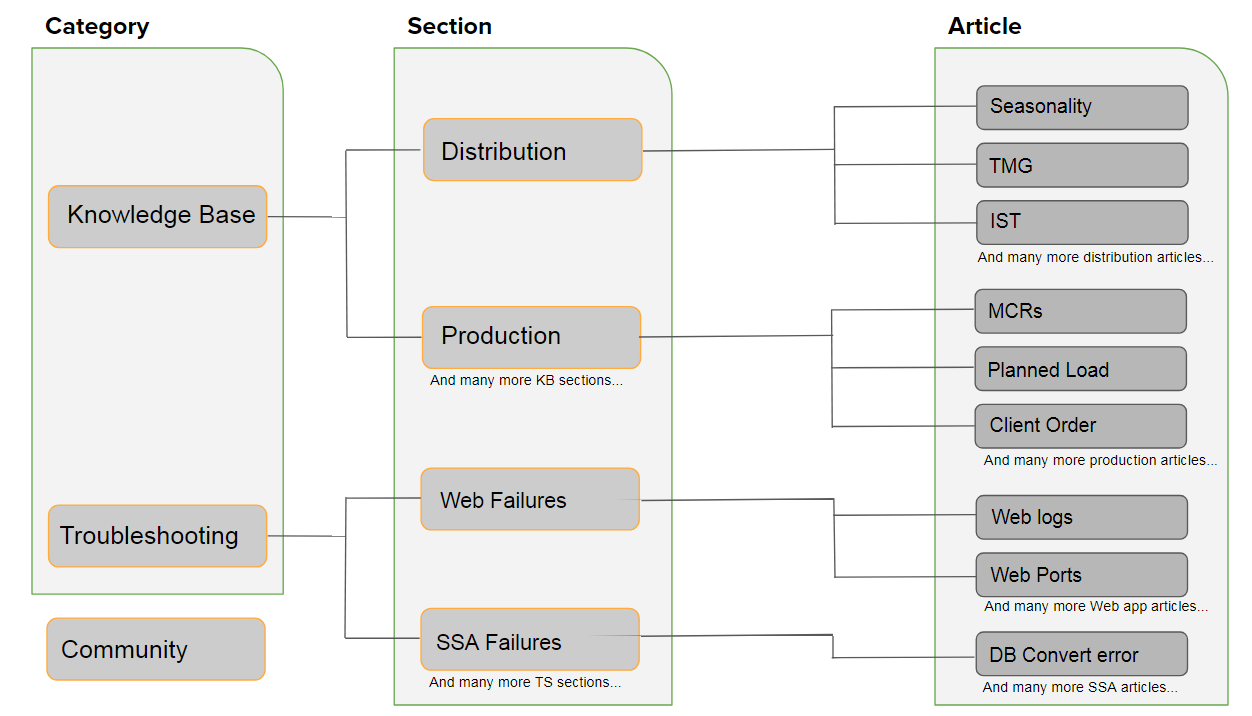
*Note that on every article you can see the breadcrumbs trail. For instance, this article breadcrumbs are:

Knowledge Base Contents
Most sections in the Knowledge Base Category (Distribution, Production, Retail etc) contains a collapsible list which simulates (as much as possible) the screens of Onebeat Apps.
Use it!
This will greatly ease up the search when looking for particular info on a certain screen/feature.
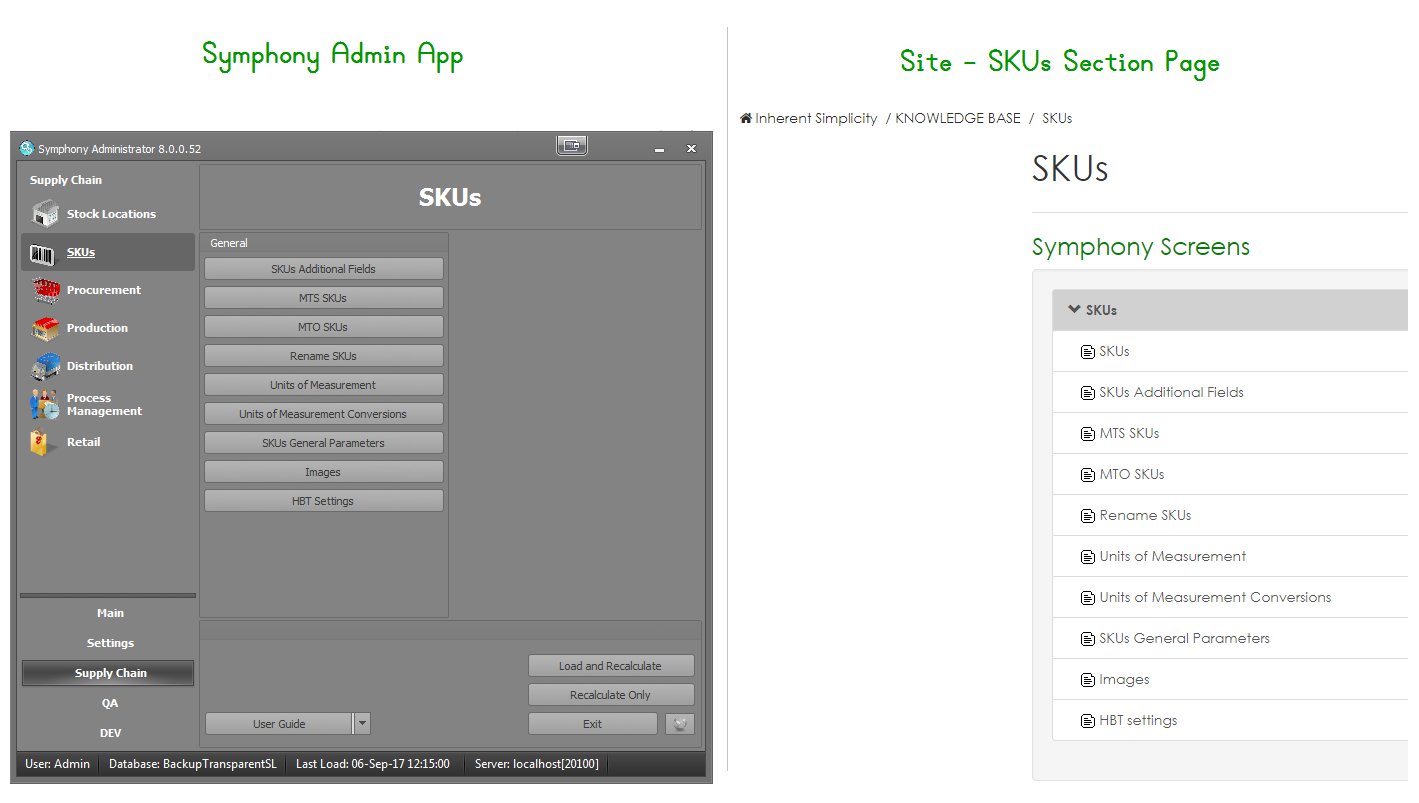
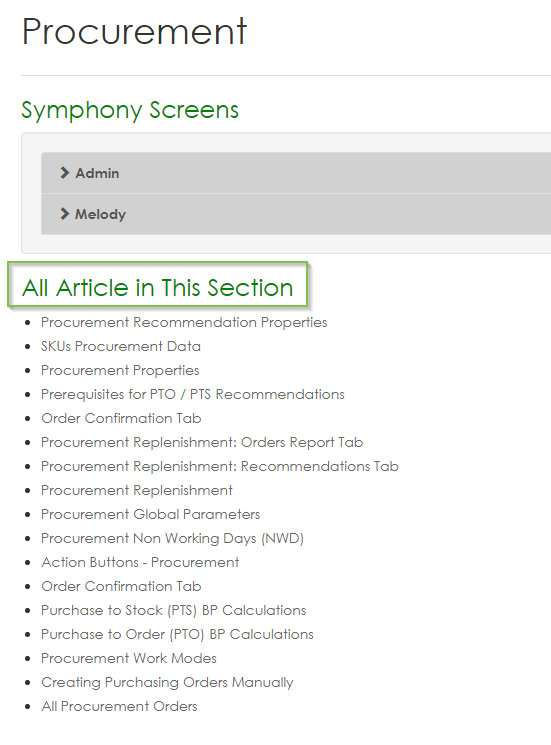
Most of the important articles in a section appear on the collapsible list (the list that simulates Onebeat screens described above). Yet, the collapsible list does not contain all of the articles for that certain section. If you want to see and explore all of the available articles for that section, you can find them at the bottom of the page under "All Articles in This Section".
Follow the example below:
Search Engine
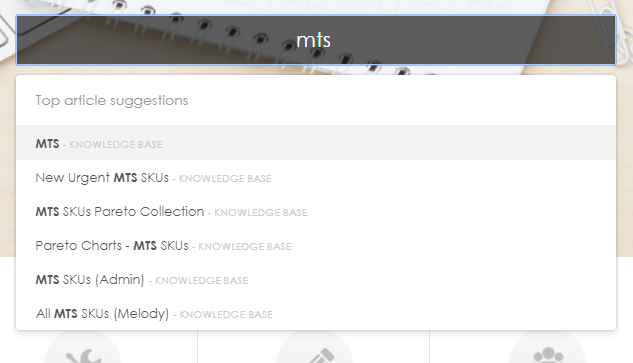
The search engine in the site features an auto-complete function and tags. This is to help navigation and for better orientation on articles and data.
Community
The community page is a bit different than the other 2 as it does not contain any articles. The only existing section at the moment (soon more to be added) is the "Features Request", where you can upload feature requests and suggestions for Onebeat, and also view different feature request from different implementation teams around the world and clients requests.
Worry not! Once a feature request is submitted, all the relevant subjects (ex: Product team etc.) are automatically notified.
Comments
0 comments
Please sign in to leave a comment.